


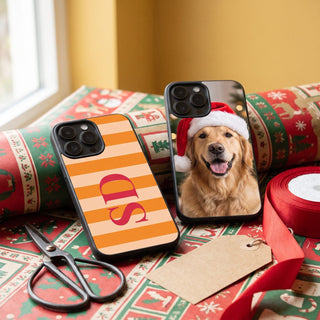


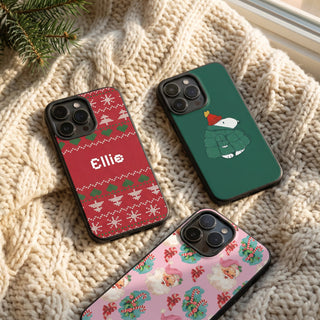


Plenty of people know they have an iPhone but couldn't tell you straight away if it's a 15 or a 15 Pro. That one word matters when you're buying a case. The camera cut-out sits in a different place and the phone is a slightly different size, so a case made for one won't fit the other properly.
Checking takes about ten seconds. Here's how to do it, including what to try if the phone won't turn on or isn't yours.
How to check what iPhone you have
- Open the Settings app.
- Tap General.
- Tap About.
Look at the Model Name line. It gives you the name in plain English, such as iPhone 16 Pro Max, and that's the name to look for when you choose a case.
Just below it you'll see Model Number. That shows a code, and tapping the code changes it to a number starting with A. You don't need this if you can see the Model Name, but it's useful if you're ever unsure about which version you've got.
If the phone won't turn on
A flat battery or a smashed screen doesn't stop you finding out. The model number is printed on the phone itself, and where you find it depends on how old the phone is:
- iPhone 7 or earlier: it's on the back of the phone.
- iPhone 8 or later with a SIM tray: take the tray out and look inside the slot, on the side nearest the screen.
- iPhone without a SIM tray: look inside the charging port, again on the side nearest the screen.
The print is tiny, so you'll want a bright light and possibly your phone torch (or someone else's, in this case). Once you have the number, which looks something like A3717, type it into the list on Apple's Identify your iPhone model page and it will tell you what you've got.
If you kept the box, the model name is on there too.
Telling them apart by looking
You can narrow it down from the outside if you can't get into the settings:
- A round home button on the front means an iPhone 8 or earlier, or an iPhone SE.
- Curved edges usually mean an iPhone 11 or older. From the iPhone 12 onwards, the sides are flat.
- Three cameras on the back means a Pro or Pro Max.
- A camera bar running across the full width of the back with three cameras in it means an iPhone 17 Pro, 17 Pro Max, 18 Pro or 18 Pro Max.
That gets you close, but it won't reliably separate a 14 from a 15, or a Pro from a Pro Max if you've got nothing to compare it with. Settings is the safer answer.
Names that are easy to mix up
Some iPhone names sound nearly the same. These are the ones to double check:
- Pro and Pro Max. The Pro Max is the bigger phone. A case for one won't fit the other.
- 16, 16 Plus and 16e. These are three different phones with different cases, and the same goes for the 17 and 17e.
- iPhone SE. There have been three of them. The 2020 and 2022 versions are the same size as an iPhone 8, but the original from 2016 is much smaller and needs a different case.
- iPhone Air. It has its own shape, so it needs its own case. We list it as iPhone 17 Air.
Buying a case for someone else
Guessing is risky here, especially at Christmas. If you can't ask them outright without giving the game away, try one of these:
- Ask someone who would know, like a partner, a parent or whoever's on the same phone contract.
- Ask to borrow their phone for a minute to look something up, then go to Settings, General, About.
- Look at their current case. Some have the model printed inside.
- Ask in a roundabout way. "Is yours the one with the good camera?" usually gets you the full model name and a short review.
What is the latest iPhone?
As of November 2026, the newest iPhones are the iPhone 18 Pro, iPhone 18 Pro Max and the foldable iPhone Duo, all introduced this year. The iPhone 17e also came out in 2026. There's no standard iPhone 18 on Apple's site at the moment, so if someone tells you they've got an 18, it's a Pro or a Pro Max.
Apple also still sells the iPhone Air, iPhone 17 and iPhone 16. New models usually arrive in September, so it's worth checking again if you're reading this much later on.
We have cases for the iPhone 18 Pro, the iPhone 17 and the iPhone 17e, along with the rest of the range going back years. We don't have one for the iPhone Duo yet.
Once you know your model
Head to our phone cases and choose your model, and you'll see the designs in the right size. If you're still not sure after all that, send us a message before you order and we'll help you work it out.